Best Content Management System Software to Start a Website

The Best Content Management Systems (CMS) make building websites for the general public possible without the need for programming languages. There are lots of CMS options available, which means you might struggle to choose the best CMS for your needs.
The truth is tons of different content management systems are available on the market today and each has its own strengths depending on your business purpose and use case.
Are you wondering what content management system software to use for building your website?
Content management systems (CMS) make it possible to manage and publish content on the web. Without a content management system, you’d need to learn how to code in order to build a website and publish content online.
We’ll share our top picks for the best CMS (Content Management System) platforms along.
WordPress.org: The World’s Most Popular Content Management System(CMS)
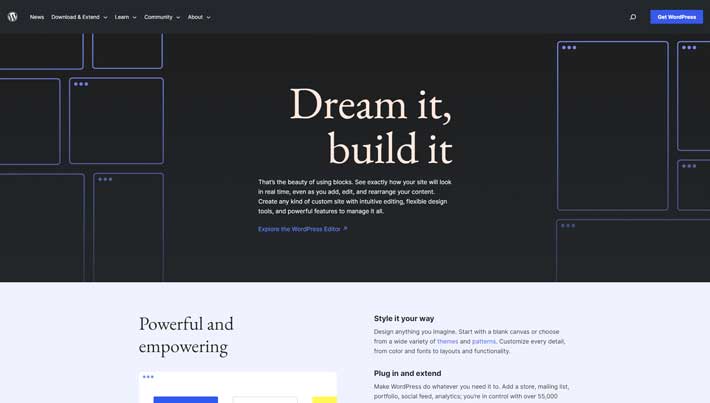 WordPress.org The World’s Most Popular CMS
WordPress powers over 40% of the Internet, making it the most popular content management system on the planet.
The platform supports everything from small personal blogs to some of the biggest news websites in the world.
As a free and open-source CMS, WordPress is virtually limitless. You’ll have total control over every aspect of your site, with no restrictions on customizations. This makes WordPress a popular choice for developers and tech-savvy users.
But even non-technical users can take advantage of WordPress. It has an extensive library of 58,000+ plugins, making adding functionality to your site easy.
Other Top Features Include:
- Fully customizable designs
- Mobile responsive content
- SEO friendly
- Powerful media management tools
- High-performance and easy to access
The downside of using a free and open-source CMS is that you don’t have dedicated support. But WordPress has an extensive network of developers, content creators, and site owners who are active on community forums.
WordPress itself doesn’t cost anything. However, you’ll need a domain name and a hosting account with a web host that can run WordPress.
Joomla.org: Joomla Content Management System (CMS) It's free
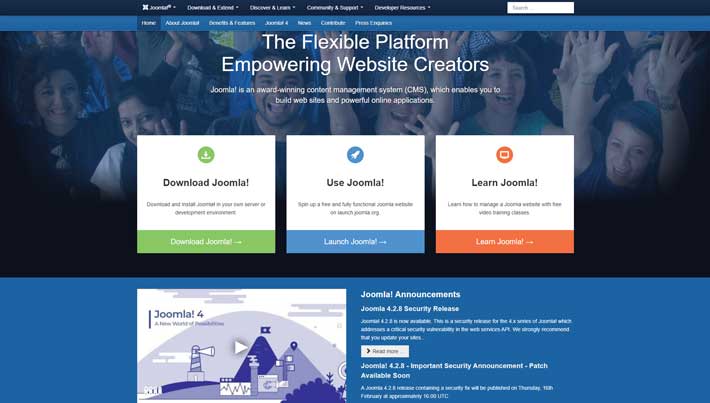 Joomla.org Joomla Content Management System (CMS) It's free
Joomla isn’t quite as popular as WordPress, but the two platforms are extremely similar and always being compared to each other.
Designed to be the middle ground in the open-source CMS marketplace, Joomla combines the versatility of Drupal with the user-friendliness of WordPress.
Like WordPress, Joomla is a free and open-source platform. but you’ll need hosting and a domain name. It has a stronger learning curve than WordPress, but it’s ideal for creating highly customizable content. If your website isn’t super text-heavy, Joomla might be a better option for you to consider.
Joomla has excellent tools for managing users, which makes it a popular choice for membership-type sites.
Another top feature of Joomla is the ability to use multiple themes and templates simultaneously for different pages and types of content. You’ll also benefit from multilingual support out of the box.
Customizability
Despite Joomla’s robust built-in functionality, you’re not limited to the features that the platform provides. You can download any of the 6,000 extensions available in the official directory for additional functionality and control over your site.
If you’re not happy with WordPress, but you like that style for content management, try Joomla instead.
Just be aware that Joomla doesn’t have as many extensions or add-ons as WordPress. There are certain features you might have to implement manually. This isn’t necessarily a deal-breaker, but it’s probably better for people who have some development experience.
Top Features:
- Middle ground between WordPress and Drupal in terms of ease of use and price
- 6,000+ extensions available but difficult to install and manage
- You can use Joomla to run an e-commerce store as there are extensions available for this.
- Lack of built-in functionality for scheduling automatic updates leaves sites vulnerable
- Ease of Use
- Joomla has more out-of-the-box features than most open-source CMS systems. With its built-in functionality, you can manage hundreds of users, build pages in multiple languages, and create custom post types that use different templates or themes. You can also configure many of your site’s settings to modify your articles, banners, menus, media, redirects, and SEO settings.
Drupal.org: Best Content Management System For Security
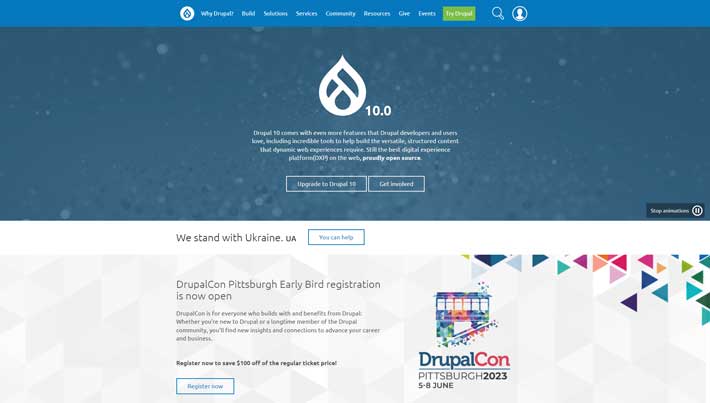 Drupal.org: Best content management system For Security - Open Source CMS
Drupal is another free and open-source CMS. It’s not quite as popular as WordPress and Joomla in terms of market share, but that doesn’t take away from its performance.
Overall, Joomla excels in the same areas as Joomla. For example, you’ll have total flexibility to create and manage custom post types. You’ll also benefit from a high level of control over users and permissions. Like Joomla, Drupal is also multilingual out of the box.
If you need multiple page templates and content types, Drupal is a viable alternative to WordPress. It’s also more equipped to handle advanced user permissions.
Drupal is a popular choice for developers, marketers, and agencies alike. It’s used to manage content across a wide range of industries, including healthcare, ecommerce, retail, FinTech, travel, media, government, and more.
But in terms of security, Drupal is in a class of its own.
Some of the top security features include database encryption, user access control, DoS attack prevention, automatic updates and core validation, GitHub partnership, information sharing security reports, and prevention of malicious data entry.
That’s why Drupal is trusted by banks, government organizations, healthcare facilities, and other websites that require robust security and scalability.
Some of the top features and noteworthy highlights include:
- Content authoring
- Content as a service
- Marketing automation
- Highest reputation for security among open-source platforms
- High performance, scalability, and accessibility
- Geared towards developers
- Vast selection of highly configurable modules and themes
- Advanced personalization
Customizability
With over 46,000 modules available in its directory and thousands of free themes in its theme repository, Drupal’s selection of add-ons and templates just falls short of WordPress’s impressive selection.
With that said, I’d only recommend Drupal to users who are comfortable with coding and development. There is definitely a learning curve, and it’s not for beginners.
Wix is one of the easiest website builders on the market today. Its simplicity makes it a popular choice for non-technical users who want to build a website from scratch.
Wix.com: Best Website Builder for Content Management
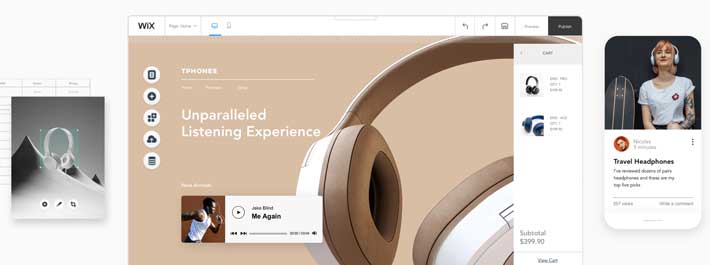 Wix.com Best Website Builder for Content Management
Many Wix users love this CMS for the intuitive drag-and-drop tools it offers. So you can add elements to your site and manage your content without writing a single line of code.
For beginners that want an all-in-one solution for creating a website from scratch, Wix will be a top choice to consider. With Wix, you can create a website, edit your content, and publish everything on the web without writing a single line of code.
Choose from hundreds of templates, or use Wix Artificial Design Intelligence (ADI) to spin up a site for you. All you do is answer a few questions about yourself, your business, and your goals, and Wix ADI will build out a great-looking site on the spot.
As you build your site and add content, Wix helps you keep track of everything. The dashboard is very easy to navigate. You’ll be able to see how many people are viewing your site and which content is performing best. Everything is a few clicks away.
Similar to WordPress, you can actually build a Wix website for free. Unfortunately, the free site does have a Wix subdomain in your URL. You’ll need to upgrade to a paid plan to remove the Wix branding and get the most out of your website.
Wix also includes robust security protocols that keep your site protected around the clock. They have a team of security experts monitoring and optimizing the Wix infrastructure 24/7 to detect and prevent cyber security threats and vulnerabilities.
A key part of a good CMS is how consistently fast they can deliver your content to site visitors. Wix has built a solid infrastructure of data centers that keep load times and uptime remarkably consistent.
Wix is also extremely reliable. Powerful servers do a lot of the work there, but Wix also features auto-scaling technology. That way, if your site gets suddenly very popular, Wix’s servers will adapt to provide your site the resources so every visitor still gets a quality experience.
While Wix is definitely the best website builder on the market today, it’s a bit limited compared to a pure CMS system, like WordPress. But with that said, it’s an excellent choice for beginners, especially since it frees you up from worry over reliability and security.
Aside from Wix being an excellent choice for beginners, here’s a quick overview of the other highlights that make this CMS stand out from the crowd:
- 500+ free templates
- Optimized for SEO and mobile
- Create password-protected membership pages
- Contact management tools for subscriber lists
- E-commerce capability with product pages, payment acceptance, and store management
- Bookings and calendar management
- Blog management tools with multiple writers and contributors
- Photography, video, and media management tools
- Free hosting and free SSL certificate
- 24/7 managed security monitoring and incident reponse
- Overall, Wix’s content management system is extremely versatile. It’s trusted by restaurants, musicians, online stores, small businesses, bloggers, and sites in virtually every industry.
Shopify.com: Best Content Management System for E-commerce
 Shopify.com Best Content Management System for E-commerce
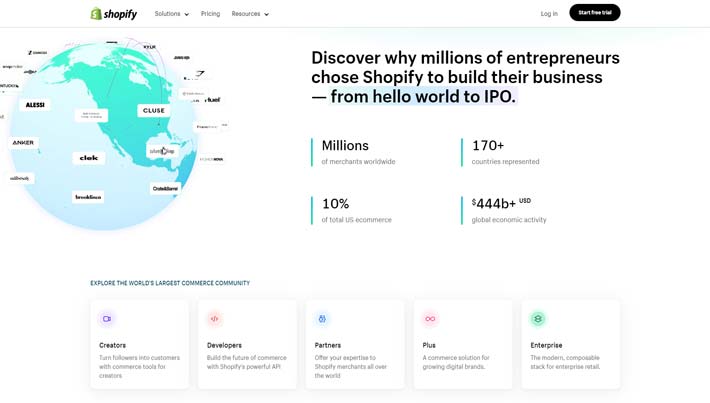
Shopify is the best CMS platform for E-commerce sites. It’s an all-in-one website builder and content management system with built-in payment processing for selling online.
Businesses of all shapes and sizes have been using Shopify to sell online. Whether you’re building a new site from scratch or switching from your existing CMS, Shopify can accommodate your needs.
In addition to its CMS, the software has other tools for things like building a brand, selling on social media, selling via online marketplaces, and processing in-person sales with Shopify POS.
The platform is easy for anyone to use and doesn’t require any coding or development skills. If you know how to navigate the web, you can build and manage E-commerce content with Shopify.
Shopify makes it easy for you to manage every aspect of your products. Set variants, allow inventory tracking, adjust pricing, add weights, change the order of your products, and more.
The CMS interface is clean and uncluttered. In addition to managing products, you’ll also have the ability to create, edit, and manage a blog, landing pages, and other elements of your navigation.
Let’s take a closer look and see why Shopify’s CMS platform ranks so high on my list:
- Manage products and sell from your site, social media, and online marketplaces
- Built-in marketing tools
- Simple dashboard to manage products, orders, payments, and shipping
- 4,100+ apps to add features and functionality to your site
- Free SSL certificate
- Unlimited products
- 24/7 support
Shopify even has a marketplace of experts for hire. So if you need assistance with SEO or getting your store setup, you can find a qualified expert directly within the platform.
)

مشاهده نظرات بیشتر...